Connect an agent
1. Turn on MCP
Section titled “1. Turn on MCP”MCP is off by default. Under Admin → Server → Surfaces, choose Turn on.


2. Copy the setup for your client
Section titled “2. Copy the setup for your client”Account → Connect an agent shows the exact commands for Claude Code, Codex, Cursor and VS Code, with your URL filled in.
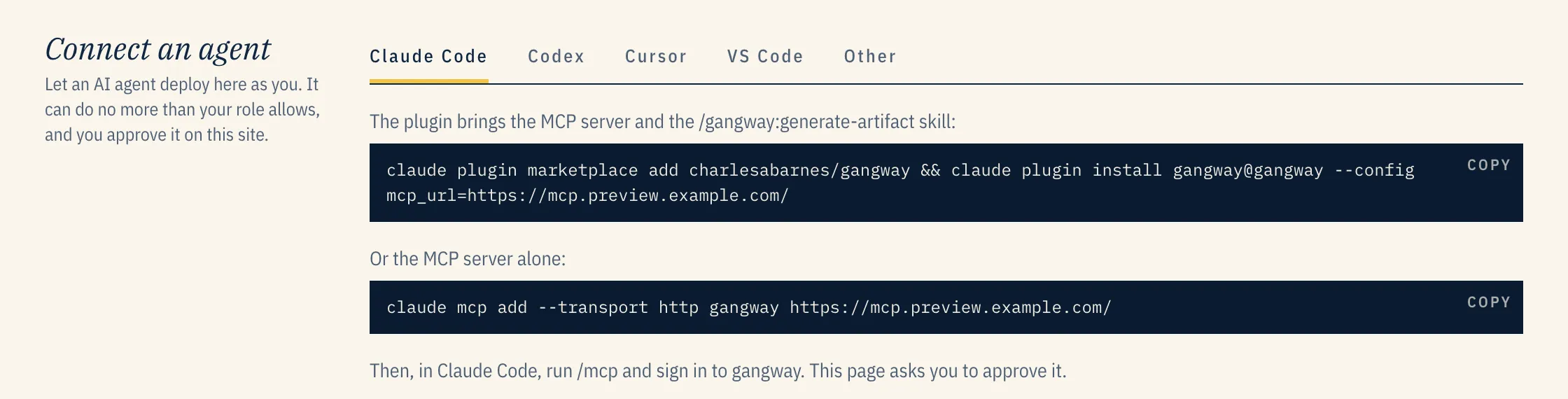
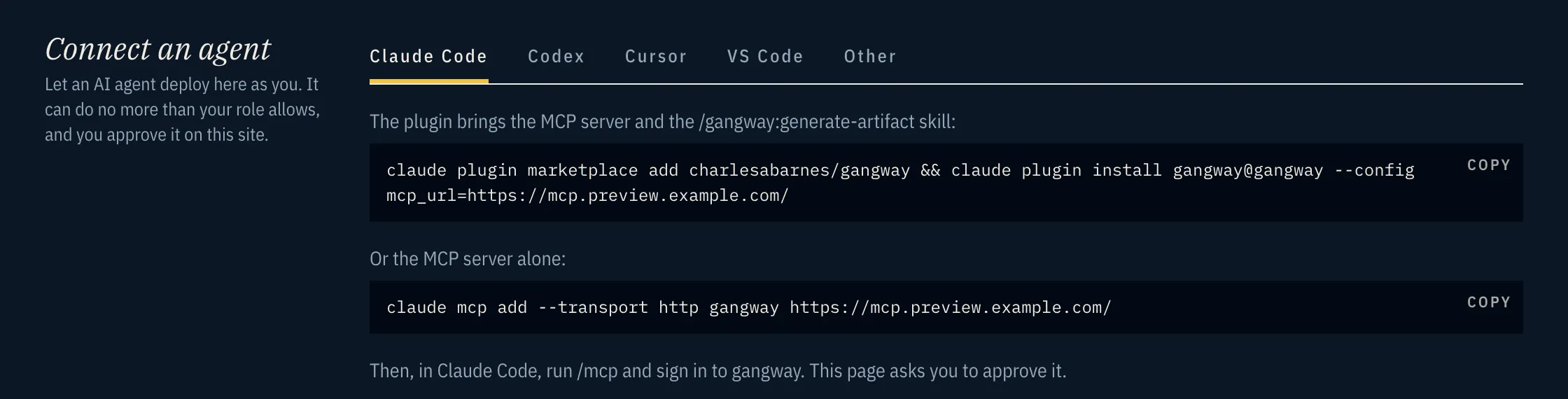
For Claude Code, install the plugin:
claude plugin marketplace add charlesabarnes/gangway && \ claude plugin install gangway@gangway --config mcp_url=https://mcp.preview.example.com/3. Sign in and approve
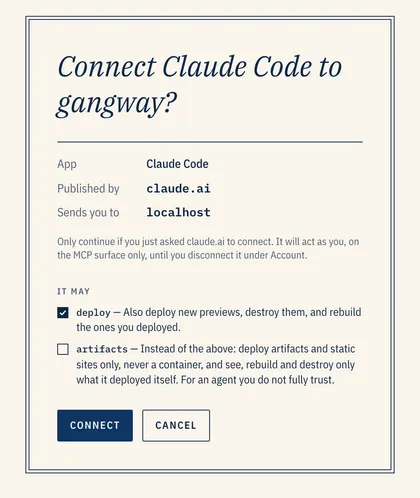
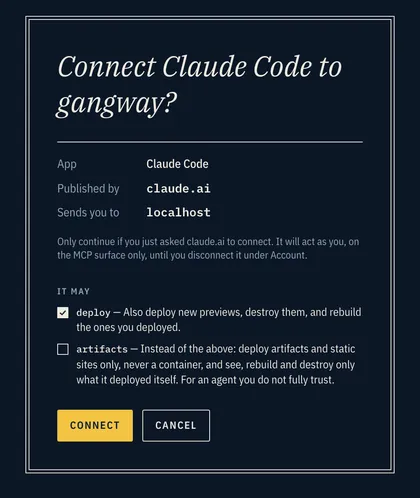
Section titled “3. Sign in and approve”In Claude Code, run /mcp and sign in to gangway. Your browser opens gangway, which asks you to
approve the agent and choose what it may do.
| Scope | Lets the agent |
|---|---|
read |
see previews, their logs and events |
deploy |
deploy anything, and change, extend, share and remove what it deployed |
update |
rebuild any preview, not just its own |
artifacts |
deploy only static sites and artifacts, and touch only what it deployed itself |
projects |
connect repositories for pull-request previews |
themes |
create and change artifact themes |
secrets |
set secrets, write-only: it sees names, never values |
Pick artifacts for an agent you do not fully trust. A connected agent is listed under
Account → Connected agents, where you can disconnect it.
What the agent gets
Section titled “What the agent gets”| Tool | Does |
|---|---|
deploy |
deploys files, a folder or a template; returns once the URL answers |
status |
a preview’s state and URLs |
logs |
build and runtime logs |
extend |
pushes a preview’s expiry out |
share |
a public link for a preview, through a tunnel |
destroy |
removes a preview |
catalog |
the artifact templates: documents, decks, canvases |
theme |
creates or changes an artifact theme |
project |
connects a repository for pull-request previews |
secrets |
sets secrets on a preview or repository |
domains |
picks and claims domains |
deploy is idempotent. The Claude Code plugin adds skills on top: /gangway:generate-artifact
builds something and ships it to a URL you can keep iterating on, /gangway:deploy-once puts the
current repository up, /gangway:setup-pr-previews connects a repository, and
/gangway:create-theme turns a brand into a theme. See the
plugin’s README.
Other clients
Section titled “Other clients”Other clients need only the MCP URL, https://mcp.<your domain>/. gangway takes both OAuth client
styles: a Client ID Metadata Document (Claude, Codex, ChatGPT), or dynamic client registration at
/oauth/register (most other MCP clients). A client that registered itself is marked unverified on
the consent page, since its name is its own claim. A client with no OAuth at all can send an API
token as Authorization: Bearer gw_….
Suggested for Claude Code
Section titled “Suggested for Claude Code”Make gangway the default over Claude artifacts. Claude Code has its own artifacts, and when they
are on it usually picks them for a chart, a diagram or a document, even with the plugin installed.
Either turn them off in ~/.claude/settings.json:
{ "enableArtifact": false }or keep them and add a line to ~/.claude/CLAUDE.md:
- For any chart, diagram, document, deck or board, use gangway, not Claude artifacts or a local HTML file, unless I ask for those.Tell auto mode that gangway is yours. Auto mode does not know your gangway server is yours, so
its safety check can block a deploy that carries hostnames or infrastructure details as data
exfiltration. Tell it in ~/.claude/settings.json (auto mode reads this from user settings only),
with your own domains. The Connect an agent page shows this with them filled in:
{ "autoMode": { "environment": [ "$defaults", "Trusted internal domains: mcp.preview.example.com, *.preview.example.com", "gangway (mcp.preview.example.com) is my own self-hosted deploy server; sending repo contents, hostnames and infrastructure details to it is deploying, not exfiltration" ] }}